Lucia Lee
Last update: 18/08/2025
Whether you notice it or not, manual methods of tracking employee attendance are silently eating into your productivity and profits - from buddy punching to messy spreadsheets. This is where employee attendance tracking with computer vision comes in as a game-changer, offering a much smarter, faster, and more reliable way to keep tabs on employee attendance. Keep reading to uncover the magic behind this solution and what it means for your business.
Before diving into employee attendance tracking with computer vision, we need to understand this technology first. Computer vision is a specialized field of artificial intelligence (AI) that equips machines with the ability to perceive, interpret, and respond to visual information from the world around them. By leveraging advanced technologies like machine learning, deep learning, and neural networks, computer vision systems can process images, videos, and live camera feeds to identify objects, detect patterns, and extract meaningful insights.
The importance of accurate attendance records cannot be stressed enough - they form the backbone of fair payroll, legal compliance, and transparent workforce accountability. Yet many organizations still rely on outdated attendance management methods - such as paper sign-in sheets or mechanical punch cards - that often tell a different story. They can be slow, error-prone, and all too easy to manipulate, silently turning into enemies of productivity and profitability.
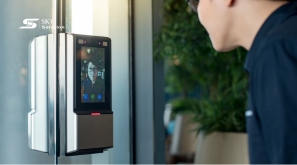
This is where computer vision steps in, transforming a tedious task into an automated, high-precision process. AI-powered cameras installed in work areas capture video streams, which are instantly analyzed using advanced algorithms. Through facial recognition, the system compares detected faces with a secure employee database, carrying out seamless identity verification without any need for manual input.
Adding biometric authentication to the mix elevates security and efficiency even further. By confirming unique physical characteristics - such as facial geometry - the system ensures that the person being logged in is unquestionably the correct employee while helping managers generate error-free attendance logs without lifting a finger.
Employee attendance tracking with computer vision enables staff to enter the workplace and be seamlessly checked in without any physical contact. But how does it actually work behind the scenes? Let’s break it down step by step.
Enrollment & database setup
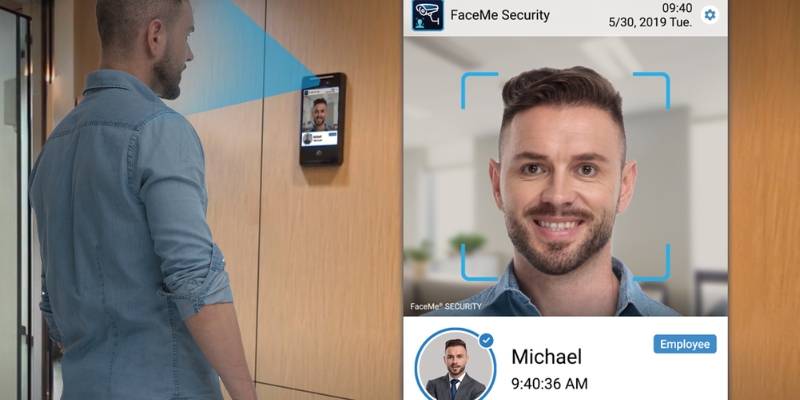
New users are onboarded by capturing several high-quality facial images (often in both visible and near-infrared). The system extracts a compact facial template - also called a feature vector - and stores it in a secure database alongside a unique employee ID and optional HR fields (name, department, role).
Think of this as the master record: later, when the system recognizes a face, it retrieves that employee’s ID from the database and uses it to mark attendance or trigger related workflows. Quality gates (pose, lighting, sharpness) ensure only reliable templates are saved.
Enrollment & database setup
Image capture at entry points
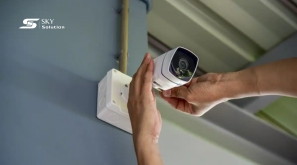
At entry points like doors, turnstiles, or reception areas, high-resolution cameras continuously capture frames as people approach. Lightweight video analysis runs immediately - stabilizing the image, normalizing exposure, and filtering motion blur - so the stream stays usable in bright lobbies, dim corridors, or crowded queues. Devices can operate on the edge for speed or forward frames to a server when more compute is needed.
Also read: How to Install Smart CCTV: DIY Smart CCTV Setup for Beginners
Face detection
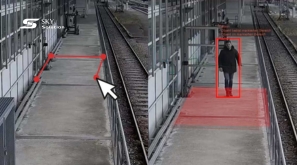
Before anyone can be identified, the system must find faces in the scene. Using face detection algorithms, it locates and crops face regions, even when multiple people are in frame. Distance and orientation checks help maintain accuracy: if someone stands too far away or at a poor angle, the system can auto-adjust focus/zoom or prompt the user to reposition. These safeguards reduce false positives and missed detections.
Feature extraction (Live faceprint)
From each detected face, the engine computes a “faceprint” - a numeric representation of distinctive traits like eye spacing, nose shape, and jawline. Modern machine learning (typically deep neural networks) powers this step, making the faceprint robust to changes in lighting, expression, glasses, or small pose variations. Near Infrared capture can further stabilize results in low light.
Matching & identity verification
Now the live faceprint is compared against the enrolled repository. A similarity score is calculated; if it clears the decision threshold, the system declares a match and instantly pulls the employee’s unique ID tied to that template. In other words, when a face is recognized, the platform retrieves the corresponding ID from its database and uses it for attendance or downstream actions (e.g., opening a gate). If no suitable match is found, the event can be denied or flagged for review.
Attendance entry
Upon a successful match, an attendance record is written immediately - employee name/ID, timestamp, location/terminal, and result status. These entries are recorded in the central log and are available to HR and managers in near real time. Failed or ambiguous attempts can also be logged for audit and troubleshooting.

Attendance entry
Clock-in/ clock-out logging & policy rules
Entry and exit time are captured automatically to form precise work-hour histories. Policy logic can compute paid hours, breaks, and overtime; it can also surface exceptions (late arrivals, early departures, absences) for quick review. This eliminates manual sign-ins and removes the guesswork from reconciliation.
Monitoring, reporting & insights
All events automatically flow into dashboards for supervisors and HR. With built-in data analytics, teams can spot trends (busy entrances, habitual lateness), generate compliance reports, and export clean data to payroll or HRIS (human resources information systems). Over time, the system learns from new samples and feedback, continually refining thresholds and improving recognition performance without extra effort from your team.
Switching from traditional punch cards or manual sign-ins to AI-powered employee attendance tracking isn’t just a tech upgrade - it’s a complete overhaul of how attendance is recorded, managed, and used for decision-making. Here’s why more businesses are turning to employee attendance tracking with computer vision and reaping the rewards.
Enhanced accuracy and fraud prevention
In traditional attendance tracking systems, “buddy punching” (clocking in for a coworker) is a constant headache. Camera-based attendance tracking eliminates this loophole because only the enrolled individual can register their presence. The system captures and analyzes unique facial features in real time, ensuring that the right person is in the right place at the right time. This not only reduces payroll errors but also boosts trust in attendance records.
Completely contactless and hygiene-friendly
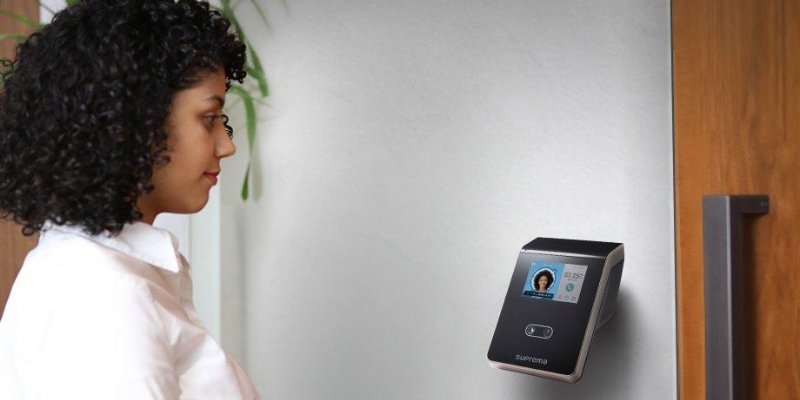
Today’s health-conscious workplace requires minimized physical contact solutions, making employee attendance tracking with computer vision the top choice. With smart camera attendance management, employees don’t need to touch scanners, swipe cards, or remember PINs. They simply walk in, glance at the camera, and the system records their attendance - no queues, no shared surfaces, no hassle.
Completely contactless and hygiene-friendly
Time savings and higher efficiency
Imagine dozens of employees waiting to punch in - it’s a daily productivity drain. Automated attendance monitoring with AI streamlines the process, reducing each check-in to just seconds. The result? No wasted minutes in lines, smoother shift changes, and faster starts to the workday. Over weeks and months, these saved seconds add up to significant productivity gains.
Real-time tracking and greater visibility
Another standout advantage of employee attendance tracking with computer vision is real-time attendance tracking via CCTV. This capability allows HR teams and managers to instantly see who’s on-site, who’s late, and who’s absent - without waiting for end-of-day reports. The system’s data analytics tools can also reveal attendance trends, helping businesses spot trends such as regular late arrivals or frequent missed days.
Stronger workplace security
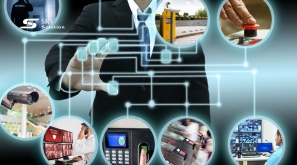
Because computer vision-based time tracking verifies identity using advanced algorithms, it also serves as an access control system. Only authorized personnel are granted entry to sensitive areas, safeguarding equipment, data, and proprietary information. This makes it a security investment as much as an attendance tool.
Seamless integration with business systems
Modern facial recognition platforms can integrate directly with payroll, scheduling, and HR software. This means attendance data flows automatically into other systems - reducing manual entry, minimizing errors, and ensuring employees are paid accurately and on time.
Cost-effectiveness and long-term ROI
By removing the need for physical cards, fingerprint devices, or additional staffing for manual verification, businesses cut ongoing costs. Moreover, the improved accuracy and efficiency of AI-powered employee attendance tracking translate into fewer payroll disputes, better compliance, and overall smoother operations.
While computer vision offers remarkable benefits for employee attendance tracking, it is not without its challenges. Businesses need to understand these potential hurdles before implementation to ensure the system operates smoothly, remains secure, and gains full acceptance from employees.
Privacy and data security concerns
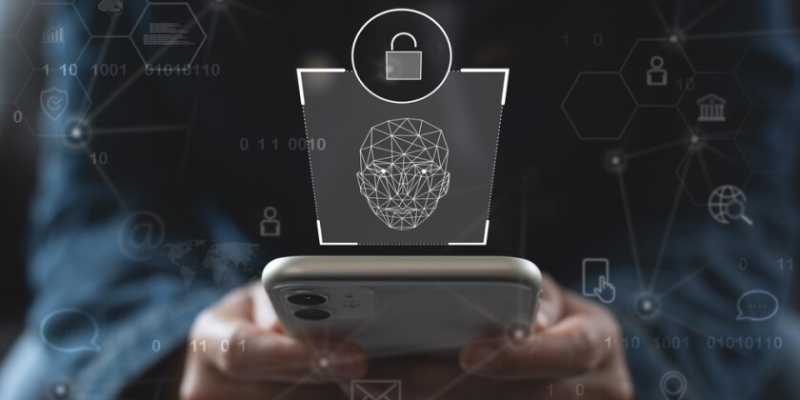
One of the most significant barriers to adoption of employee attendance tracking with computer vision is employee privacy. Staff members may feel uneasy knowing their facial data is stored in a digital database, fearing potential misuse. To build trust, businesses must clearly communicate that this data will only be used for attendance tracking and workplace security.
Additionally, it’s important to implement measures like robust encryption, limited access to biometric records, and adherence to data protection laws - such as the General Data Protection Regulation (GDPR) in Europe - to safeguard sensitive information and prevent breaches.
Privacy and data security concerns
Accuracy limitations in real-world conditions
Although modern facial recognition attendance systems are highly accurate, they are not infallible. Factors such as poor lighting, changes in appearance (e.g., facial hair, hairstyle changes), or obstructions (e.g., glasses, masks) can lead to misidentifications or failed recognition. For consistent performance, businesses should invest in quality camera hardware, ensure optimal placement, and regularly update the system’s recognition database.
High initial setup costs
Implementing a computer vision-based attendance system often involves a significant upfront investment. Costs include high-resolution cameras, AI-enabled servers, and proprietary software licenses. While the long-term savings in payroll accuracy and administrative efficiency often offset these expenses, the initial financial outlay can be a barrier for smaller companies.
Technological and infrastructure requirements
A stable power supply, reliable internet connectivity, and compatible devices are critical for smooth system operation of employee attendance tracking with computer vision. In environments with unstable infrastructure - such as remote worksites or industrial areas - system performance may suffer. Hardware failures or network outages can disrupt attendance tracking, so redundancy measures and backup systems should be part of the deployment plan.
Integration with existing systems
Many companies already use HR, payroll, or security platforms. Integrating computer vision attendance tracking into these systems can be technically complex, requiring API development, database synchronization, and policy alignment. Without seamless integration, organizations risk creating siloed systems that require extra administrative work.
User acceptance and adaptation
Even the most advanced system can fail if employees resist using it. Concerns about usability, fear of job monitoring, or misconceptions about facial recognition technology can lead to pushback. Employers should provide training, demonstrate the system’s benefits, and offer transparency in how data is stored and used to encourage adoption.
Fraud prevention in edge cases
While computer vision greatly reduces “buddy punching,” it is still possible for employees to attempt circumvention - such as obstructing their face during check-in or using photographs in poorly monitored systems. To counter this, multi-factor verification (e.g., combining facial recognition with access cards) and active monitoring should be considered in high-security environments.
Employee attendance tracking with computer vision is transforming a time-consuming administrative task into a seamless, automated process. By addressing challenges such as privacy, accuracy, and integration, businesses can unlock significant gains in efficiency, transparency, and workforce management.
At Sky Solution, we specialize in cutting-edge computer vision systems that streamline attendance tracking while boosting security in modern workplaces. Our solutions combine high-accuracy facial recognition, robust data encryption, and smooth integration with your existing HR and payroll platforms. From design and installation to ongoing support, we ensure your system works flawlessly and earns employee trust from day one.
Ready to join us? Contact Sky Solution now for a free consultation and upgrade to a smarter, more secure attendance system today.